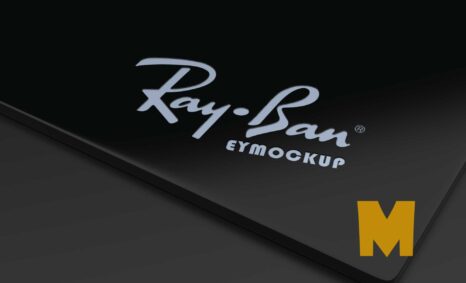
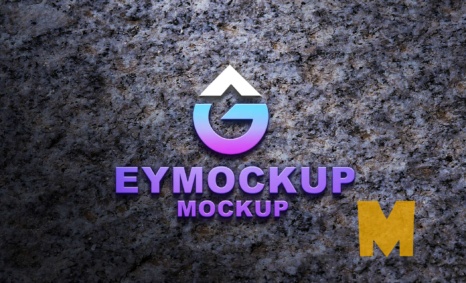
Designing an eye-catching logo is essential for any brand, and our 3D logo maker mockup PSD is here to help. This free downloadable mockup allows you to showcase your logo in a professional and dynamic way. With customizable features, you can easily adjust lighting, angles, and backgrounds to fit your brand’s identity and make your logo stand out. Perfect for presentations or client pitches, this mockup will elevate your design portfolio instantly.
Using the 3D logo maker mockup PSD is simple and user-friendly. Just open the file in Adobe Photoshop, and you’re ready to go. Import your logo, adjust the layers to your liking, and watch as your design comes to life in three dimensions. With high-resolution quality, your presentation will impress clients and colleagues alike. Whether you’re a seasoned designer or just starting, this mockup will make your logo shine and help convey your brand’s message effectively.
You can use 3D logo Maker Mockup PSD to showcase your own designs in a realistic and professional way.
To use a Photoshop PSD mockup, simply open the file in Photoshop. Then, replace the placeholder design with your own design. You can also customize the 3D Logo Mockup to match your brand by adding your logo, colors, and fonts.


Once you have finished customizing the mockup, you can export it as a high-resolution image or video. You can then use this image or video in your marketing materials, such as on your website, social media pages, and in print materials. Once you have downloaded a mockup, you can open it in Photoshop and add your own design. To do this, simply place your design on the smart object layer of the mockup.
Here are some tips for using free mockups:
- Make sure that the mockup is the correct size and resolution for your needs.
- Use high-quality images for your designs.
- Pay attention to the lighting and shadows in the mockup.
- Adjust the colors and brightness of your design to match the mockup.
- Add your own branding elements to the mockup.
Description:
Available Format: Layered PSD through smart object insertion
License: Free for personal and commercial use
Zip File Includes: Photoshop PSD File
Resolution: 2200 x 1500 px
Advertisement:
FAQs – 3D logo Maker Mockup PSD
Can I edit the 3D logo maker mockup PSD easily?
Yes, the mockup is designed for easy editing in Adobe Photoshop. Simply open the file, and you can customize it to fit your needs.
Do I need advanced Photoshop skills to use this mockup?
No, basic Photoshop knowledge is sufficient. The mockup includes clear layers and guides for easy use.
Is it possible to change the lighting in the mockup?
Absolutely! You can adjust the lighting settings in the PSD file to enhance the visual appeal of your logo.
What file format is the 3D logo maker mockup available in?
The mockup is provided in PSD format, which is compatible with Adobe Photoshop, ensuring high-quality results.
Does the mockup allow for background customization?
Yes, you can easily change the background color or image to match your branding or design preferences.