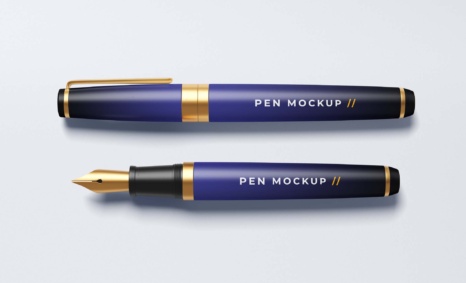
Enhance your branding projects with our free logo guitar case mockup. This high-quality mockup allows you to showcase your logo designs on a realistic guitar case, making it perfect for musicians and music brands. You can easily edit the mockup to fit your style, ensuring your designs stand out in any promotional material or portfolio.
The mockup is designed for convenience, featuring smart object layers that allow for quick and easy customization in Photoshop. You can adjust the lighting and shadows to match your branding, giving your designs a professional touch. Ideal for presentations or online showcases, this guitar case mockup is an essential tool for anyone looking to elevate their visual identity.
All of these Resources are easy to use and can present your information beautifully. Some are free, while others cost a few dollars. ( premium mockups )
More great & free PSD Mockups Collection:
- 50+ Latest Mockup Collection
- 299+ Business Card Mockup Free Download 2021
- 305+ Product Packaging Mockups (Only Free)
- 800+ Logo Mockup PSD Free Download
- Bra Mockup
Description:
Available Format: Layered PSD through smart object insertion
Zip File Includes: Photoshop PSD File
Resolution: 2000 x 2250 px
FAQs – Free Logo Guitar Case Mockup
Can I edit the Free Logo Guitar Case Mockup in Photoshop?
Yes, the mockup is fully editable using Photoshop. Simply use the smart object layers to insert your logo and customize it as needed.
What file format is the free guitar case mockup provided in?
The mockup is typically provided in a PSD format, which is compatible with Adobe Photoshop for easy editing.
Do I need specific skills to use the guitar case mockup?
Basic Photoshop skills are recommended for using the mockup effectively. Familiarity with smart objects will help you achieve the best results.
Is the mockup suitable for both personal and commercial use?
Yes, you can use the free logo guitar case mockup for both personal and commercial projects without any restrictions.
Can I change the background of the guitar case mockup?
Absolutely! You can easily modify the background layer in Photoshop to suit your design needs and preferences.