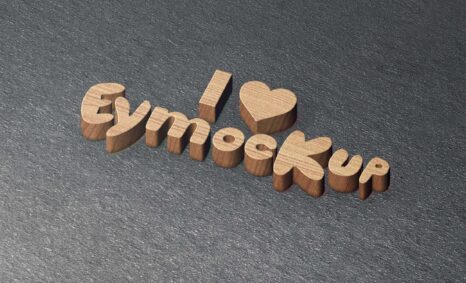
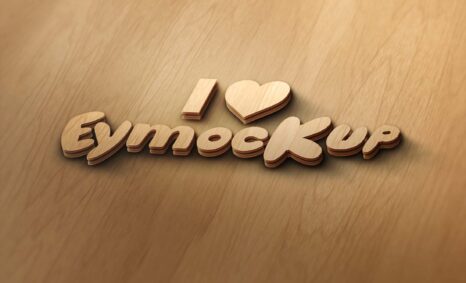
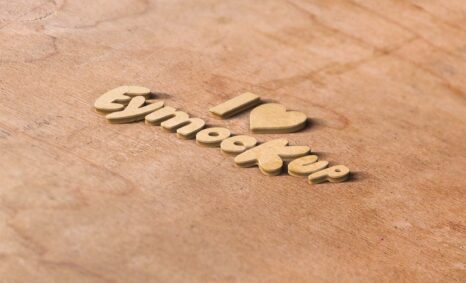
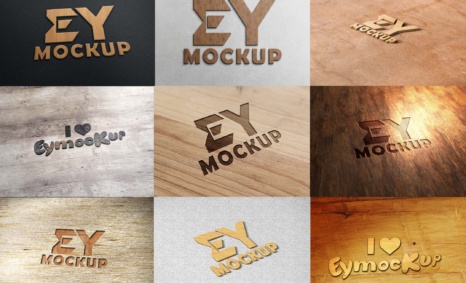
Elevate your branding projects with our Free Wood Background 3D Logo Mockup. This mockup provides a stunning visual representation of your logo in a realistic wooden setting, perfect for showcasing your designs in a professional manner. Whether you’re a graphic designer or a business owner, this mockup can help you present your logo in a compelling way, enhancing your portfolio and attracting potential clients.
The mockup is easy to use and fully customizable, allowing you to modify the logo, adjust lighting, and change the wood texture to fit your needs. Simply open the PSD file in Photoshop, replace the placeholder logo with your own, and experiment with various effects to achieve the perfect look. This free resource is ideal for anyone looking to impress with high-quality visuals without spending a dime.
This free PSD Logo Mockup is a great way to showcase your brand, logo and designs. It comes in PSD format and you can easily customize it by editing the color, image and adding your own text.
It’s easy to use and you can add your own text or any design on it. It’s also fully layered so that you can easily change all the elements of the mockup in just one click.
All of these Resources are easy to use and can present your information beautifully. Some are free, while others cost a few dollars. ( premium mockups )
More great & free PSD Mockups Collection
- Free Plastic Pouch Packaging Mockup PSD Download
- 305+ Product Packaging Mockups (Only Free)
- 299+ Business Card Mockup Free Download 2021
- 100+ Free Realistic 3D Logo Mockups (2021)
Description:
Available Format: Layered PSD through smart object insertion
License: Free for personal use
Zip File Includes: Photoshop PSD File
Resolution: 2000 x 2250 px
FAQs – Free Wood Background 3D Logo Mockup
Can I edit the Free Wood Background 3D Logo Mockup?
Yes, you can easily edit the mockup in Photoshop to customize the logo and adjust settings to fit your design needs.
Does the mockup include a transparent background?
No, the mockup features a realistic wood background, but you can remove or edit it to suit your project requirements.
What file format is the mockup available in?
The mockup is available as a PSD file, compatible with Adobe Photoshop for easy editing and customization.
Is it easy to use the mockup for beginners?
Absolutely! The mockup comes with a user-friendly design, making it suitable for both beginners and experienced designers.
Do I need special software to use the mockup?
Yes, you will need Adobe Photoshop or a similar program that can open PSD files to use the mockup effectively.