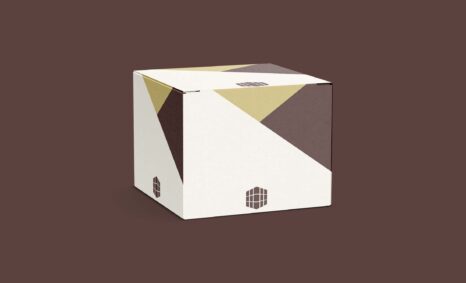
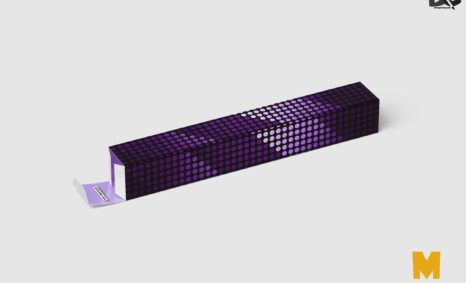
Creating a stunning presentation is essential for showcasing your product designs, and a box mockup can elevate your visuals significantly. This free downloadable box mockup allows you to present your packaging designs realistically, giving clients and stakeholders a clear view of your creative vision. With customizable features, you can easily edit the mockup to match your brand colors and styles, ensuring that your presentation stands out.
Using this box mockup is simple and user-friendly, even for those with minimal design experience. Just download the file, open it in Photoshop, and replace the placeholder graphics with your own designs. Adjust the lighting and shadows to enhance realism, making your presentation more engaging. Whether you’re pitching a new product or showcasing a redesign, this mockup serves as an essential tool to impress your audience.
All of these resources are easy to use and can present your information beautifully. Some are free, while others cost a few dollars. ( premium mockups )
More great & free PSD Mockups Collection:
- 25+ Newspaper PSD Mockup Download
- 55+ PSD Bag Girl Free Download
- Mockup Collection
- 22+ Free Hoodie Design Mockup PSD
Description:
Available Format: Layered PSD through smart object insertion
License: Free for personal use
Zip File Includes: Photoshop PSD File
Resolution: 2000 x 2250 px
FAQs – Box Mockup For Presentation
Can I edit the box mockup in Photoshop?
Yes, the box mockup is fully editable in Photoshop, allowing you to customize designs and adjust elements to fit your presentation needs.
Does this mockup support different box sizes?
The box mockup is designed for a standard size, but you can resize it in Photoshop to fit various dimensions as needed.
What file format is the box mockup available in?
The mockup is available in a PSD format, compatible with Adobe Photoshop, ensuring easy editing and customization.
Is it easy to change the design on the mockup?
Absolutely! Simply double-click the smart object layer in Photoshop to replace the design effortlessly.
Do I need advanced skills to use the box mockup?
No, basic knowledge of Photoshop is sufficient to utilize the mockup effectively and create stunning presentations.