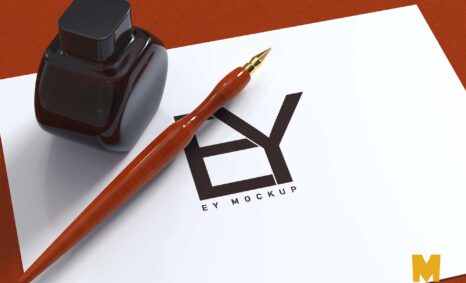
Elevate your branding projects with our free pen PSD logo mockup. This versatile mockup allows you to showcase your logo designs in a realistic setting, making it perfect for presentations or portfolio displays. Simply replace the placeholder logo with your design, and you’ll have a stunning visual representation that highlights your brand’s professionalism.
The mockup features a high-resolution image of a stylish pen, set against a clean background that enhances the focus on your logo. Ideal for both personal and commercial use, this mockup is compatible with Adobe Photoshop, providing an easy way to edit and customize. Whether you’re a designer looking to impress clients or a business owner promoting your brand, this pen logo mockup is an essential tool.
All of these Resources are easy to use and can present your information beautifully. Some are free, while others cost a few dollars. ( premium mockups )
More great & free PSD Mockups Collection:
- Free Digital Packaging Mockups PSD
- Free Product Box Package Mockup (PSD)
- Free Plastic Pouch Packaging Mockup PSD Download
- 305+ Product Packaging Mockups (Only Free)
- Free Wine Bottle Mockups For Wineries
Description:
Available Format: Layered PSD through smart object insertion
License: Free for personal use
Zip File Includes: Photoshop PSD File
Resolution: 2000 x 2250 px
FAQs – Free Pen PSD Logo Mockup
Can I edit the Free Pen PSD Logo Mockup?
Yes, the mockup is fully editable in Adobe Photoshop, allowing you to customize it with your own logo easily.
Does it support various logo formats?
Absolutely! You can use the mockup with any logo format compatible with Photoshop, including PNG, JPG, and SVG.
What is the resolution of the mockup?
The mockup is created at a high resolution, ensuring that your logo appears sharp and professional in any presentation.
Is it easy to change the logo in the mockup?
Yes, changing the logo is straightforward. Simply open the PSD file, and replace the existing logo layer with your design.
Do I need advanced Photoshop skills to use this mockup?
No, basic Photoshop skills are sufficient. The mockup comes with a user-friendly setup that guides you through the editing process.