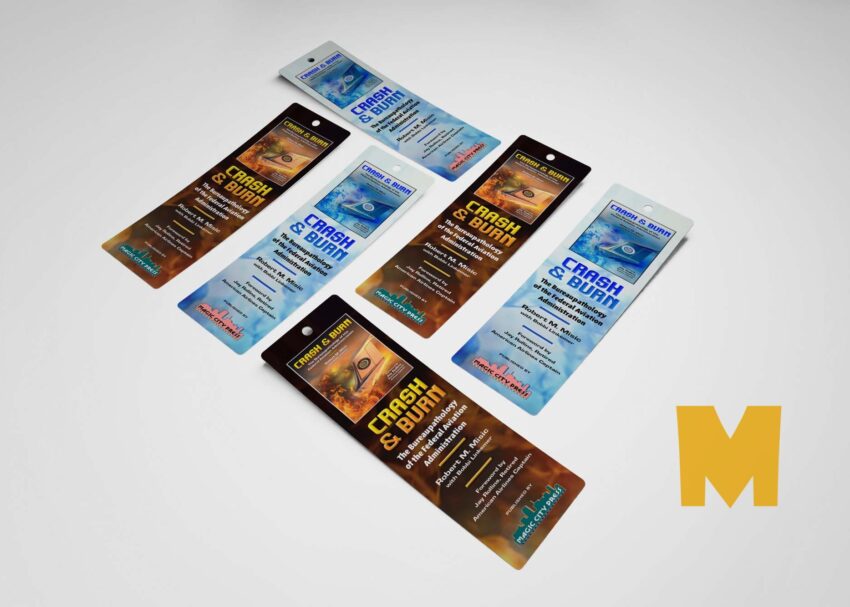
Enhance your design projects with our Free Book Bookmark Tag Mockup. Perfect for showcasing your book-related designs, this mockup features a realistic representation of a bookmark tag, allowing you to present your artwork in a professional manner. With high-resolution quality and versatile settings, you can easily customize the mockup to suit your needs, making it a valuable asset for designers and authors alike.
This mockup is designed to save you time while elevating your presentation. Simply download the file, open it in Photoshop, and replace the placeholder design with your own artwork. The smart object layers make editing straightforward, ensuring that your designs look stunning in the final presentation. Whether you’re promoting a new book release or creating promotional material, this Free Book Bookmark Tag Mockup will help you stand out.
All of these Resources are easy to use and can present your information beautifully. Some are free, while others cost a few dollars. ( premium mockups )
More great & free PSD Mockups Collection:
- 55+ PSD Bag Girl Free Download
- 22+ Free Hoodie Design Mockup PSD
- 19+ Dress Mockups Collections
- 99+ Business Card Mockups PSD
Description:
Available Format: Layered PSD through smart object insertion
License: Free for personal and commercial use
Zip File Includes: Photoshop PSD File
Resolution: 2000 x 2250 px
FAQs – Free Book Bookmark Tag Mockup
Can I edit the Free Book Bookmark Tag Mockup in Photoshop?
Yes, you can easily edit the mockup in Photoshop using the smart object layers to insert your design.
What file format is the bookmark mockup available in?
The mockup is available in PSD format, which is compatible with Adobe Photoshop for seamless editing.
Is it easy to customize the bookmark tag mockup?
Absolutely! The mockup is user-friendly, allowing you to customize colors, shadows, and designs effortlessly.
Does the mockup include high-resolution images?
Yes, the mockup features high-resolution images to ensure your designs look sharp and professional.
What types of designs can I use with this bookmark mockup?
You can use any book-related designs, including cover art, quotes, or illustrations, to showcase your creativity.