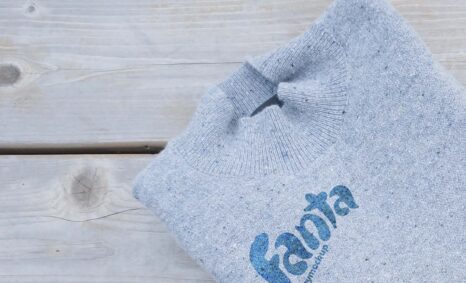
Fabric role mockups are essential tools for designers looking to showcase their textile designs in a realistic manner. These mockups allow users to present their artwork on different fabric types, enhancing the visual appeal while highlighting the unique textures and colors of the materials used. By utilizing high-quality mockups, designers can effectively communicate their ideas to clients and stakeholders, making it easier to visualize the final product in a professional context.
In this blog, we provide a comprehensive guide on how to use fabric role mockups for your design projects. We cover everything from downloading the mockup files to editing them in software like Photoshop. You’ll learn how to adjust lighting, shadows, and fabric textures to ensure your designs look their best. This resource is perfect for both seasoned designers and beginners who want to elevate their presentations with stunning visuals.
All of these Resources are easy to use and can present your information beautifully. Some are free, while others cost a few dollars. ( premium mockups )
More great & free PSD Mockups Collection:
- 50+ Latest Mockup Collection
- 299+ Business Card Mockup Free Download 2021
- 305+ Product Packaging Mockups (Only Free)
- 800+ Logo Mockup PSD Free Download
Description:
Available Format: Layered PSD through smart object insertion
License: Free for personal use
Zip File Includes: Photoshop PSD File
Resolution: 2000 x 2250 px
FAQs – Fabric Role Mockup
Can I edit the fabric role mockup in Photoshop?
Yes, you can easily edit the fabric role mockup in Photoshop. Simply open the file, and use the smart object layers to insert your designs.
What formats are available for the fabric role mockup?
The fabric role mockup is available in PSD format, which is compatible with Adobe Photoshop, allowing for easy customization and editing.
Does the mockup include lighting effects?
Yes, the mockup includes pre-set lighting effects that enhance the realism of your design. You can adjust these effects to better suit your artwork.
Is it possible to change the fabric texture in the mockup?
Absolutely! You can change the fabric texture in the mockup by replacing the smart object with your desired fabric design or texture image.
Do I need any special skills to use the fabric role mockup?
No special skills are required! Our guide provides step-by-step instructions, making it easy for anyone to use the fabric role mockup.