
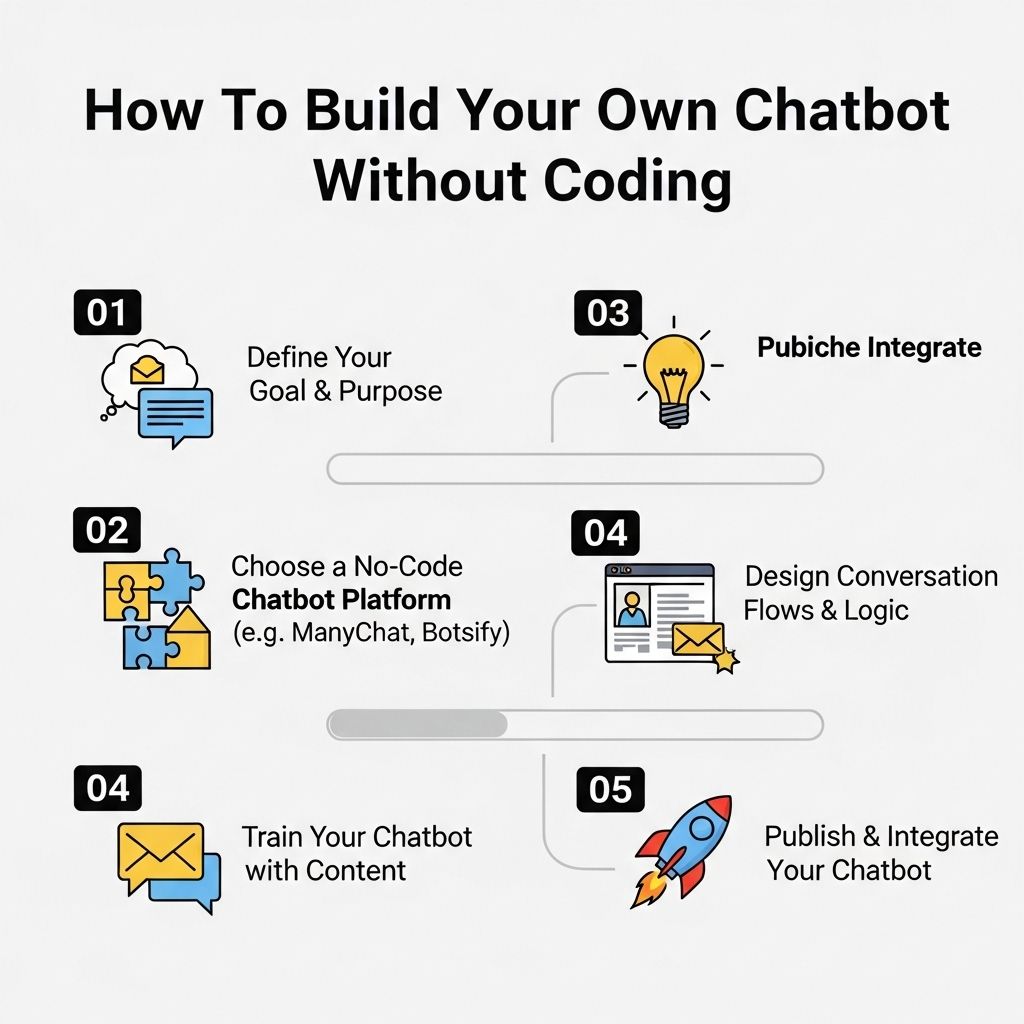
In recent years, chatbots have transformed the way businesses interact with customers, providing instant support and engagement. The good news is that you don’t need to be a coding expert to create your own chatbot. With a range of user-friendly platforms available, anyone can design and deploy a chatbot tailored to their needs. This article will guide you through the steps to build your own chatbot without writing a single line of code.
Creating your own chatbot without any coding skills is now easier than ever. With user-friendly platforms, you can design conversational experiences that enhance customer engagement on Facebook. For more insights on how to effectively interact with your audience, get insights on Facebook audience engagement.
Understanding Chatbots
Before diving into the development process, it is essential to understand what chatbots are and how they function. At their core, chatbots are software applications that simulate human conversation. They can be found on websites, messaging apps, and social media platforms, helping users with tasks ranging from customer inquiries to booking appointments.
Types of Chatbots
Chatbots can be broadly categorized into two types:
- Rule-Based Chatbots: These operate based on predefined rules and scripts. They respond to specific keywords or phrases and are limited to the scenarios for which they have been programmed.
- AI-Powered Chatbots: Utilizing machine learning and natural language processing (NLP), these chatbots understand context and engage in more dynamic conversations. They can learn from interactions and improve over time.
Choosing the Right Platform
Numerous platforms cater to users looking to create chatbots without coding. Consider the following when selecting a platform:
- Ease of Use: Look for a platform with a user-friendly interface and drag-and-drop features.
- Integration Options: Ensure the chatbot can integrate with your existing tools and platforms, such as CRM systems or email marketing services.
- Pricing: Compare pricing tiers based on your budget and the features offered.
Popular No-Code Chatbot Platforms
| Platform | Features | Pricing |
|---|---|---|
| Chatfuel | Facebook Messenger, AI responses, Analytics | Free tier available, Premium from $15/month |
| ManyChat | Automation, Analytics, Integration with various tools | Free tier available, Pro from $10/month |
| Dialogflow | Google integration, NLP capabilities | Free tier available, Pricing based on usage |
| Landbot | Web-based chatbots, Drag-and-drop builder | Free tier available, Paid plans start at $30/month |
Defining Your Chatbot’s Purpose
Once you’ve selected a platform, the next step is to outline the purpose of your chatbot. This will guide the design and flow of interaction. Consider the following questions:
- What problems will your chatbot solve?
- Who is your target audience?
- What kind of information will your users seek?
Common Use Cases
Some common applications for chatbots include:
- Customer Support: Providing answers to frequently asked questions and assisting with troubleshooting.
- Lead Generation: Capturing user information for sales follow-up.
- Appointment Booking: Allowing users to schedule appointments or reservations directly through chat.
- Product Recommendations: Assisting users in finding products based on their preferences.
Designing the Conversational Flow
The success of your chatbot hinges on how well it can engage users. A well-structured conversational flow will make interactions smooth and intuitive. Here are the steps to design the flow:
1. Start with a Welcome Message
Your first interaction should greet users and set the tone. A friendly introduction that explains the chatbot’s purpose can help users feel welcomed.
2. Identify User Intent
Design your chatbot to ask questions that clarify user intent. For example:
- “How can I assist you today?”
- “What information are you looking for?”
3. Create Branching Scenarios
Develop different pathways based on user responses. This allows for a more personalized interaction. Use conditional responses to guide users based on their choices.
4. Incorporate Quick Replies
Using buttons or quick reply options can streamline the conversation, making it easier for users to respond without typing.
Testing Your Chatbot
Before launching your chatbot, it’s crucial to test its functionality. Here’s how you can effectively test your bot:
- User Testing: Involve potential users in the testing phase to gather feedback on their experience.
- Scenario Testing: Test various conversation scenarios to see how well the chatbot handles different user inquiries.
- Analytics Tracking: Use built-in analytics tools to monitor user interactions and identify areas for improvement.
Launching Your Chatbot
Once you’re satisfied with its performance, it’s time to launch your chatbot. Here are some tips to ensure a successful rollout:
- Promote Your Chatbot: Announce the launch through your website, social media channels, and email newsletters.
- Monitor Interactions: Keep an eye on how users are engaging with your chatbot and be ready to make adjustments based on feedback.
- Regular Updates: Update the bot’s knowledge and capabilities regularly to enhance user experience.
Maintaining Your Chatbot
After launching your chatbot, ongoing maintenance is essential to keep it relevant and efficient. Here are some strategies:
- Analyze Usage Data: Review analytics to understand user behavior and identify popular topics.
- Gather User Feedback: Encourage users to provide feedback on their experience.
- Update Content: Regularly refresh the information and responses to keep them current.
Conclusion
Building a chatbot without coding is not only possible but also a rewarding endeavor. By selecting the right platform, defining your chatbot’s purpose, designing an engaging conversational flow, and maintaining it over time, you can create an effective tool that enhances user engagement and improves customer service. Embrace the technology and watch as your chatbot contributes to your business’s success!
FAQ
What is a no-code chatbot builder?
A no-code chatbot builder is a platform that allows users to create chatbots without the need for programming skills, using visual interfaces and drag-and-drop features.
How can I create a chatbot without any coding knowledge?
You can create a chatbot without coding by using various no-code platforms like Chatfuel, ManyChat, or Tars, which provide user-friendly interfaces for designing chatbot conversations.
What are the benefits of building a chatbot without coding?
Building a chatbot without coding saves time, reduces costs, and empowers individuals without technical skills to create functional chatbots tailored to their business needs.
Can I integrate my no-code chatbot with other tools?
Yes, many no-code chatbot builders offer integration options with popular tools like CRM systems, email marketing services, and social media platforms.
Are no-code chatbots suitable for businesses?
Absolutely! No-code chatbots can be customized for various business needs, including customer service, lead generation, and user engagement.
What features should I look for in a no-code chatbot platform?
Look for features like user-friendly interface, customizable templates, analytics, integration capabilities, and support for multiple messaging channels.


