In the ever-evolving world of digital media, video editing has become an essential skill for content creators, marketers, and filmmakers alike. With the rise of platforms like YouTube, Instagram, and TikTok, the demand for high-quality video content is at an all-time high. However, choosing the right tools for video editing can be a daunting task, especially given the plethora of options available today. This article aims to highlight ten essential tools for video editing that cater to various skill levels and project requirements, ensuring you have everything you need to produce compelling videos.
In the ever-evolving world of content creation, mastering video editing is crucial for standing out on platforms like Instagram. Whether you’re a beginner or a seasoned pro, having the right tools can elevate your edits and streamline your workflow. Here are 10 essential tools for video editing that can help enhance your storytelling and engagement, including effective Instagram content strategies.
1. Adobe Premiere Pro
Adobe Premiere Pro remains the industry standard for video editing. Its comprehensive features provide users with the flexibility to create professional-grade videos. Some key features include:
- Multi-camera editing
- Color grading tools
- Audio editing capabilities
- Integration with other Adobe Creative Cloud applications
Whether you’re a beginner or a seasoned pro, Premiere Pro offers a vast array of tools to help you realize your creative vision.
2. Final Cut Pro X
For Mac users, Final Cut Pro X is a powerful alternative that is optimized for Apple hardware. Its magnetic timeline is user-friendly, making it easier to manage complex projects. Notable features include:
- High Dynamic Range (HDR) support
- Advanced color grading
- 360-degree video editing
- Smart conform for automatic framing
This software is particularly favored by filmmakers and video production companies due to its speed and efficiency.
3. DaVinci Resolve
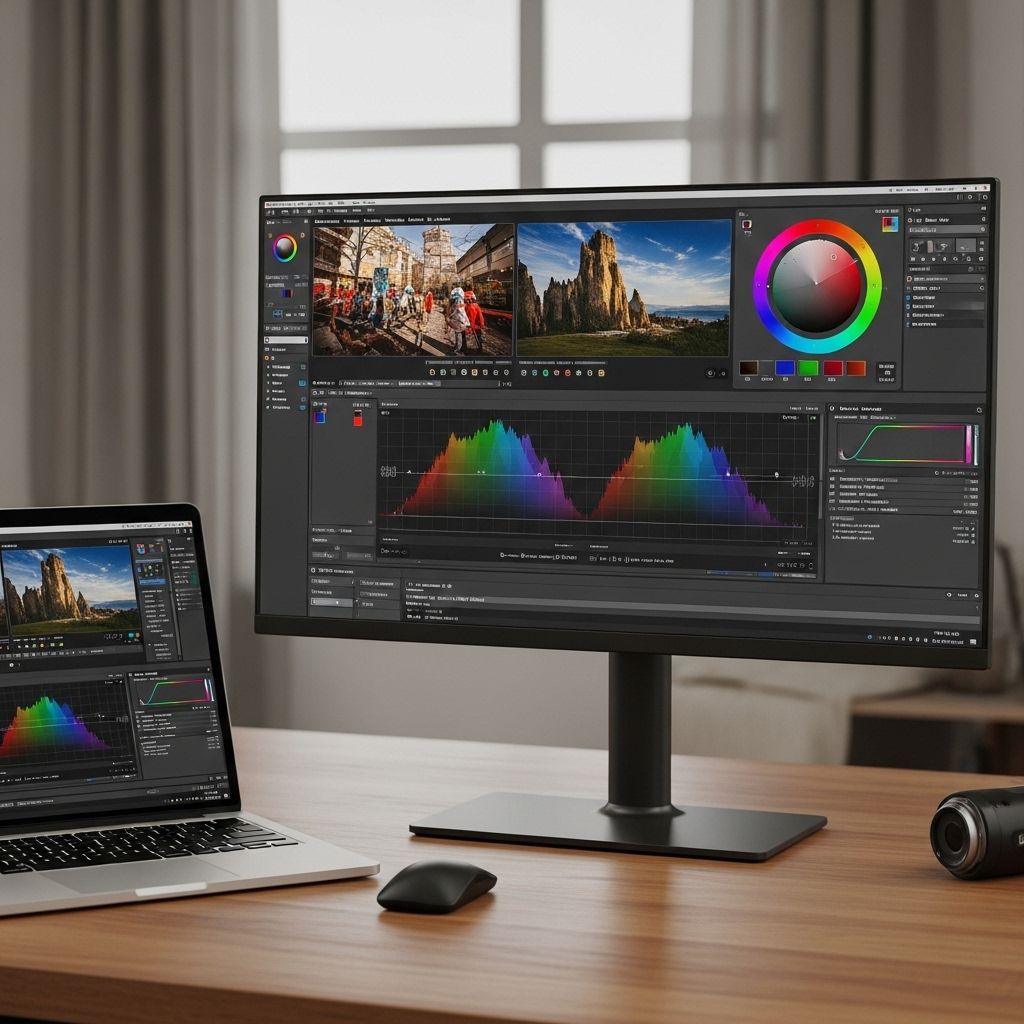
DaVinci Resolve is known for its exceptional color correction capabilities. It combines editing, color grading, and audio post-production in a single application, making it highly versatile. Key highlights include:
| Feature | Description |
|---|---|
| Free Version | A comprehensive free version is available with many professional features. |
| Collaboration Tools | Multiple users can work on the same project simultaneously. |
| Nodes for Color Grading | Offers advanced color grading with a node-based system. |
DaVinci Resolve is an excellent choice for those focused on color grading alongside editing.
4. Filmora
Filmora is a user-friendly video editing software that is great for beginners. It offers a simple interface paired with powerful features. Key functionalities include:
- Drag-and-drop interface
- Over 300 effects and filters
- Screen recording capabilities
- Social media sharing options
This tool is perfect for creators who want to produce videos quickly without compromising on quality.
5. HitFilm Express
HitFilm Express is another free video editing software that provides a wide range of features, including visual effects and compositing. It is ideal for indie filmmakers and hobbyists. Features include:
- 3D compositing
- Integrated visual effects
- Advanced audio editing
HitFilm Express is a great choice for those looking to experiment with special effects.
6. Camtasia
Camtasia is specifically designed for creating video tutorials and presentations. It combines screen recording and video editing capabilities, making it ideal for educators and marketers. Key features include:
- Intuitive editing tools
- Pre-made animations and effects
- Interactive quizzes and surveys
Camtasia stands out for its ease of use, allowing users to create engaging instructional content.
7. Avid Media Composer
Avid Media Composer is a staple in professional video editing, particularly in the film and television industry. Its robust features cater to complex projects. Notable features include:
- Multi-format editing
- Advanced media management
- Collaboration tools for teams
While it may have a steeper learning curve, it’s a go-to solution for professional editors.
8. Blender
Primarily known as a 3D modeling software, Blender also offers powerful video editing capabilities. Its built-in Video Sequence Editor (VSE) allows for basic editing and compositing. Features include:
- Multi-layer editing
- Speed control for clips
- Visual effects and transitions
Blender is a great option for those looking to integrate 3D graphics with their video projects.
9. Lightworks
Lightworks is a professional non-linear editing system that is available in both free and paid versions. It’s known for its high-quality editing toolset. Key features include:
- Real-time audio and video editing
- Direct export options to various platforms
- Support for 4K video editing
Lightworks is favored for its user-friendly interface while offering robust features needed for professional editing.
10. InVideo
InVideo is an online video editing platform that simplifies the editing process with a plethora of templates and stock resources. It’s ideal for marketers and social media managers. Features include:
- Easy-to-use interface
- Extensive library of templates
- Access to stock footage and music
This tool is perfect for quick video creation without needing advanced editing skills.
Conclusion
The right video editing tools can make a significant difference in the quality and efficiency of your video production process. From professional software like Adobe Premiere Pro and Final Cut Pro X to user-friendly options like Filmora and InVideo, the tools available today cater to every level of expertise and project requirements. By leveraging the capabilities of these tools, you can enhance your storytelling, engage your audience, and ultimately elevate your video content to new heights.
FAQ
What are the essential tools for video editing?
The essential tools for video editing include editing software like Adobe Premiere Pro, Final Cut Pro, and DaVinci Resolve, as well as hardware like a powerful computer, high-resolution monitor, and external storage.
Do I need a powerful computer for video editing?
Yes, video editing requires a powerful computer with a fast processor, ample RAM, and a dedicated graphics card to handle high-definition footage efficiently.
What video editing software is best for beginners?
For beginners, user-friendly software like iMovie, Filmora, or Adobe Premiere Elements is recommended, as they offer intuitive interfaces and essential features.
Are there any free video editing tools available?
Yes, there are several free video editing tools available, such as HitFilm Express, DaVinci Resolve, and Shotcut, which provide a range of features for basic to advanced editing.
What hardware accessories do I need for video editing?
Essential hardware accessories for video editing include a good quality microphone for audio capture, external hard drives for storage, and a comfortable pair of headphones for sound monitoring.
How important is color grading in video editing?
Color grading is crucial in video editing as it enhances the visual appeal of the footage, sets the mood, and ensures color consistency throughout the video.