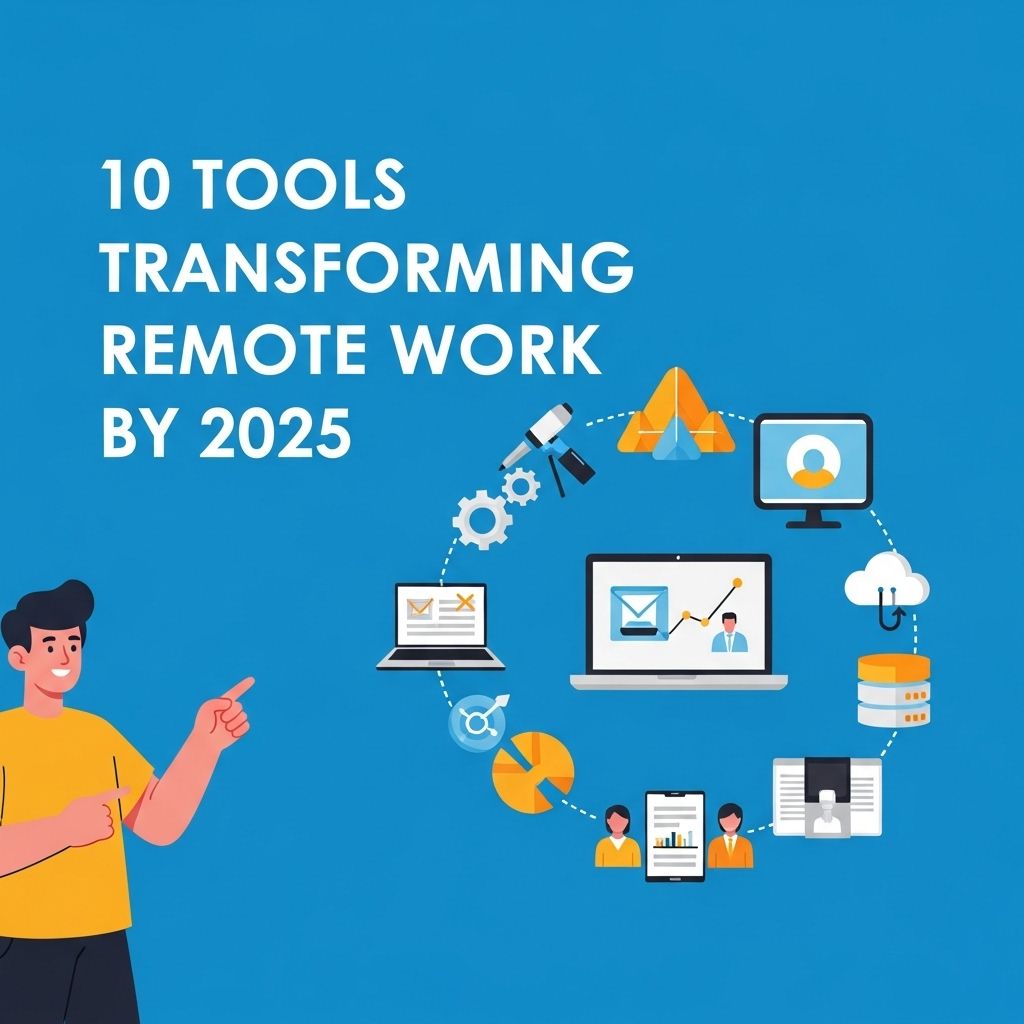
As the world adapts to a new era of remote work, technology continues to advance, providing innovative solutions that enhance productivity, collaboration, and communication for distributed teams. By 2025, we can expect an even broader array of tools designed to transform the remote work landscape. This article explores ten cutting-edge tools that are set to redefine the way we work remotely, ensuring that teams can collaborate effectively no matter where they are located.
As remote work continues to evolve, a new wave of technology is reshaping how teams collaborate, communicate, and manage their tasks. By 2025, tools focusing on automation, project management, and virtual collaboration are expected to streamline workflows and enhance productivity. To stay ahead in this changing landscape, it’s essential to discover innovative AI solutions.
1. Virtual Reality Workspaces
Virtual reality (VR) technology is making significant strides in creating immersive work environments that replicate the office experience. VR workspaces enable remote teams to interact in a virtual setting, allowing for:
- Real-time collaboration on 3D models and projects
- Enhanced team engagement through virtual meetings
- Social interactions that mimic in-office environments
Benefits of VR Workspaces:
- Improved creativity through immersive experiences
- Reduced feelings of isolation among remote workers
- Greater efficiency in brainstorming sessions
2. AI-Powered Project Management Tools
Artificial intelligence (AI) is revolutionizing project management by automating tasks, analyzing data, and providing insights that enhance decision-making. Tools like Trello, Asana, and ClickUp are integrating AI features to:
- Predict project timelines and resource allocation
- Identify potential bottlenecks and suggest solutions
- Automate routine updates and notifications
Key Features to Look For:
| Feature | Description |
|---|---|
| Task Automation | Automate repetitive administrative tasks. |
| Data Analytics | Generate reports based on project metrics. |
| Integration Capabilities | Seamlessly connect with other tools and platforms. |
3. Advanced Communication Platforms
Effective communication is paramount in remote settings. Advanced platforms like Slack, Microsoft Teams, and Zoom are evolving with features that promote seamless communication. These tools are equipped with:
- Integrated chat, video, and file-sharing capabilities
- Customizable notification settings for focus
- Enhanced security features for data protection
Choosing the Right Communication Tool:
- Assess your team’s size and needs
- Look for user-friendly interfaces
- Ensure compatibility with other tools
4. Cloud-Based Collaboration Suites
Cloud computing has enabled teams to collaborate in real-time on documents and projects from anywhere in the world. Applications like Google Workspace and Microsoft 365 provide:
- Simultaneous editing of documents
- Integrated tools for presentations and spreadsheets
- Automatic cloud backups for data security
Advantages of Cloud Collaboration:
- Accessibility from any device
- Reduced dependency on physical storage
- Improved version control and collaboration
5. Workflow Automation Tools
Tools like Zapier and Integromat are simplifying workflows by automating repetitive tasks between applications. These tools help remote teams by:
- Connecting different platforms to streamline processes
- Reducing the time spent on manual tasks
- Improving accuracy by minimizing human error
Popular Use Cases:
| Automation | Example |
|---|---|
| Email Notifications | Automatically send updates when a task is completed. |
| Data Entry | Sync data between CRM and project management tools. |
| Social Media Posting | Schedule posts across multiple platforms simultaneously. |
6. Employee Wellbeing Apps
The well-being of remote workers is crucial to maintaining productivity and job satisfaction. Apps focused on mental health and wellness, such as Headspace and Calm, are becoming essential by providing:
- Mindfulness and stress-relief exercises
- Guided meditation and relaxation techniques
- Tracking tools for mental health
Benefits of Employee Wellbeing Apps:
- Enhanced mental clarity
- Reduced stress and anxiety levels
- Improved overall happiness and productivity
7. Cybersecurity Solutions
As remote work increases, so does the need for robust cybersecurity measures. Tools such as LastPass and NordVPN are indispensable for securing remote work environments. Key features include:
- Password management for secure access
- VPN services for safe browsing
- End-to-end encryption for sensitive communications
Essential Cybersecurity Practices:
- Regularly update passwords
- Use two-factor authentication
- Educate employees on phishing scams
8. Talent Management Platforms
Finding and managing talent remotely can be challenging, but platforms like BambooHR and Workday streamline the recruitment and management processes. These tools offer:
- Automated applicant tracking systems
- Performance management tools
- Employee onboarding and training resources
Key Features of Talent Management Platforms:
| Feature | Description |
|---|---|
| Applicant Tracking | Streamline the hiring process from applications to interviews. |
| Performance Reviews | Conduct and analyze employee performance evaluations. |
| Training Modules | Provide resources for continuous employee development. |
9. Time Tracking Tools
Time tracking tools like Toggl and Clockify help remote workers manage their time effectively. These platforms provide capabilities such as:
- Tracking hours spent on specific tasks
- Generating reports for project management
- Setting productivity benchmarks
Why Time Tracking Matters:
- Identifies productivity trends
- Encourages accountability among team members
- Aids in accurate billing for clients
10. Augmented Reality Applications
Augmented reality (AR) applications are emerging as powerful tools for remote work, especially in fields like design, architecture, and education. AR allows teams to overlay digital information onto the physical world, providing:
- Enhanced visualization for projects
- Interactive training experiences
- Real-time feedback on design layouts
Potential Uses of AR in Remote Work:
- Virtual product demonstrations
- Collaborative design sessions with stakeholders
- Remote troubleshooting for technical support
Conclusion
The future of remote work is bright, with an array of innovative tools on the horizon. As technology continues to evolve, organizations must stay ahead of the curve by adopting these tools to foster collaboration, increase productivity, and support employee well-being. By 2025, integrating these technologies into everyday work processes will not only enhance remote work experiences but also redefine the traditional workplace.
FAQ
What are the top tools transforming remote work by 2025?
The top tools include advanced collaboration platforms, AI-driven project management software, virtual reality meeting rooms, cloud-based file storage solutions, and enhanced cybersecurity tools.
How will AI impact remote work tools by 2025?
AI will streamline workflows, automate repetitive tasks, and enhance communication through intelligent assistants, making remote work more efficient.
What role does virtual reality play in remote work by 2025?
Virtual reality will create immersive meeting environments, allowing remote teams to interact as if they were in the same room, improving collaboration and engagement.
Which collaboration platforms are expected to lead in remote work by 2025?
Platforms like Microsoft Teams, Slack, and Zoom are likely to enhance their offerings, integrating new features that cater specifically to remote work needs.
How important is cybersecurity for remote work tools by 2025?
Cybersecurity will be crucial as remote work expands; tools will need to incorporate advanced security measures to protect sensitive data and ensure secure communications.
What trends are shaping the future of remote work tools?
Trends include increased personalization, integration of machine learning, focus on employee well-being, and the rise of hybrid work solutions.