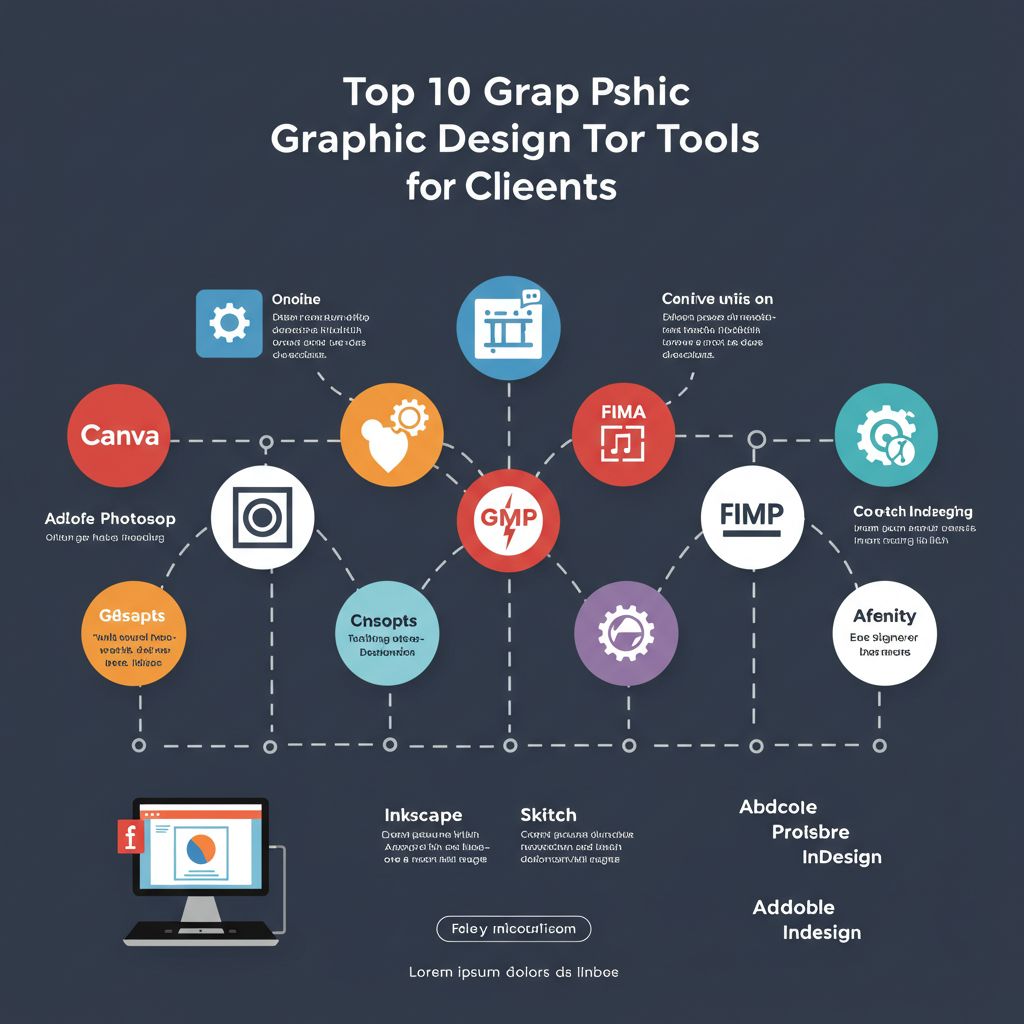
Graphic design has become an essential part of branding and marketing in today’s digital landscape. Whether you are a seasoned designer or a client looking to enhance your visual communications, having the right tools can significantly streamline your workflow, improve your designs, and ultimately elevate your brand’s presence. In this article, we will explore the top ten graphic design tools that every client should consider, focusing on their core functionalities, usability, and how they can facilitate the design process.
In the ever-evolving landscape of graphic design, clients are increasingly seeking tools that simplify their creative processes. Among the top recommendations for digital artists is Procreate for digital artists, a powerful app that offers an intuitive interface and an array of features tailored for illustration and design.
1. Adobe Creative Cloud
Adobe Creative Cloud remains the industry standard for graphic design. It encompasses a suite of applications that cater to various design needs, including:
- Photoshop – Image editing and manipulation
- Illustrator – Vector graphics and illustration
- InDesign – Layout design for print and digital publications
- Adobe XD – UI/UX design and prototyping
With cloud storage and collaborative features, Adobe Creative Cloud allows teams to work together seamlessly, making it a valuable asset for any design project.
2. Canva
When it comes to graphic design, mastering tools like Photoshop can make a significant difference in the quality of work produced. For clients, understanding how to utilize features such as Photoshop brush techniques can enhance creative projects and streamline the design process.
For clients who may not have advanced design skills, Canva offers an intuitive platform that simplifies the design process. Its key features include:
- User-friendly drag-and-drop interface
- A vast library of templates and assets
- Collaboration options for real-time feedback
Canva is perfect for creating social media graphics, presentations, posters, and more without the need for extensive design knowledge.
3. Sketch
Sketch has gained popularity among UI/UX designers for its vector-based design capabilities. Its features include:
- Artboards for responsive design
- Symbols for reusable components
- Collaboration tools with plugins
Sketch is particularly useful for designing interfaces for websites and mobile applications, providing a streamlined process for prototyping.
4. Figma
Figma offers a collaborative interface design tool that functions directly in the browser, making it accessible from anywhere. It provides:
- Real-time collaboration among team members
- Design systems for consistency across projects
- Prototyping tools for interactive mockups
Figma is ideal for distributed teams, allowing for immediate feedback and iterations.
5. Affinity Designer
Affinity Designer is an affordable alternative to Adobe Illustrator with powerful features, including:
- Vector and raster design capabilities
- Advanced typography tools
- Non-destructive editing
Its one-time purchase model makes it appealing for clients looking for cost-effective solutions without sacrificing quality.
6. CorelDRAW
CorelDRAW is another long-standing graphic design software that excels in vector illustration. Its features include:
- Intuitive interface suitable for beginners
- Strong drawing tools and text manipulation
- Powerful photo editing capabilities
This software is particularly popular among print designers for creating intricate illustrations and layouts.
7. InVision
InVision is primarily a prototyping tool but excels in collaboration and feedback. Its key features include:
- Clickable prototypes for user testing
- Commenting system for team feedback
- Integration with other design tools like Sketch and Photoshop
InVision helps bridge the gap between designers and stakeholders, ensuring that everyone is on the same page during the design process.
8. GIMP
As an open-source alternative to Photoshop, GIMP provides a wide array of features for graphic design, including:
- Comprehensive image manipulation tools
- Extensive plugin support
- Customizable interface
Despite being free, GIMP offers professional-grade capabilities, making it an excellent choice for budget-conscious clients.
9. Gravit Designer
Gravit Designer is a versatile design tool that works both online and offline. Its features include:
- Vector design capabilities
- Cross-platform compatibility
- Intuitive user interface
With its range of tools, Gravit Designer is suitable for creating logos, icons, and illustrations with ease.
10. Procreate
For those who prefer a hands-on approach, Procreate offers a digital illustration application optimized for the iPad. It includes:
- A vast library of brushes and tools
- High-resolution canvas support
- Advanced layering and blending modes
Procreate is favored by illustrators and artists for its tactile experience and flexibility in creating artwork on the go.
Conclusion
Choosing the right graphic design tools can significantly impact the quality and efficiency of your design projects. Whether you’re a professional designer or a client looking to collaborate with design experts, the tools listed above can help you achieve your creative goals. From industry standards like Adobe Creative Cloud to accessible platforms like Canva, there’s a solution for every need and skill level. As technology continues to evolve, staying informed about the latest tools will ensure that you remain competitive in the ever-changing landscape of graphic design.
FAQ
What are the best graphic design tools for clients?
The top graphic design tools for clients include Adobe Creative Suite, Canva, Sketch, Figma, CorelDRAW, Affinity Designer, Inkscape, GIMP, Adobe Spark, and Visme.
Are there free graphic design tools available for clients?
Yes, there are several free graphic design tools available for clients, including Canva, GIMP, Inkscape, and Adobe Spark, which offer basic functionality without cost.
What graphic design tool is best for beginners?
Canva is often recommended for beginners due to its user-friendly interface, drag-and-drop features, and a wide range of templates.
Which graphic design tools are best for collaboration?
Figma and Adobe Creative Cloud are highly regarded for collaboration, allowing multiple users to work on designs simultaneously and providing real-time feedback.
How do I choose the right graphic design tool for my needs?
Consider factors such as your design experience, budget, required features, and whether you need collaboration tools when choosing the right graphic design tool for your needs.
Can I use graphic design tools for social media content creation?
Absolutely! Tools like Canva and Adobe Spark are specifically designed for creating visually appealing social media graphics and posts.