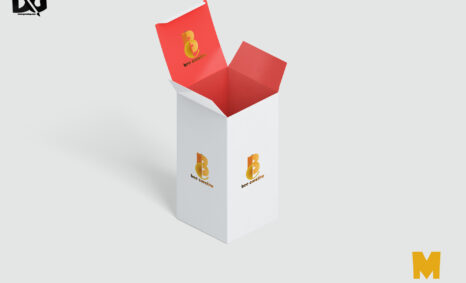
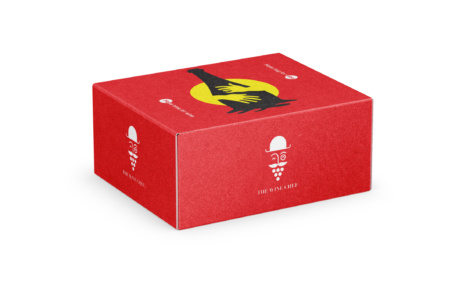
Box packaging mockups offer an excellent way to visualize and present your product designs in a professional manner. They allow designers to showcase their branding and packaging concepts through realistic 3D representations, making it easier for clients to envision the final product. Utilizing high-quality mockups can elevate your design portfolio, providing a striking visual impact that captures attention and communicates your ideas effectively.
When creating or selecting a box packaging mockup, consider the format that best suits your needs. Various styles, from simple to elaborate, can enhance your design presentation. Editing options in software like Photoshop are essential for customizing colors, textures, and logos, ensuring that the mockup aligns with your branding. Good lighting and shadows in the mockup can also enhance realism, making your packaging design stand out.
You can use Box Packaging Mockup to showcase your own designs in a realistic and professional way.
To use a Photoshop PSD mockup, simply open the file in Photoshop. Then, replace the placeholder design with your own design. You can also customize the Box Mockup to match your brand by adding your logo, colors, and fonts.
Once you have finished customizing the mockup, you can export it as a high-resolution image or video. You can then use this image or video in your marketing materials, such as on your website, social media pages, and in print materials.


Once you have downloaded a mockup, you can open it in Photoshop and add your own design. To do this, simply place your design on the smart object layer of the mockup.
Here are some tips for using free mockups:
- Make sure that the mockup is the correct size and resolution for your needs.
- Use high-quality images for your designs.
- Pay attention to the lighting and shadows in the mockup.
- Adjust the colors and brightness of your design to match the mockup.
- Add your own branding elements to the mockup.
Description:
Available Format: Layered PSD through smart object insertion
License: Free for personal and commercial use
Zip File Includes: Photoshop PSD File
Resolution: 2200 x 1500 px
Advertisement:
FAQs – Box Packaging Mockup
Can I edit the box packaging mockup in Photoshop?
Yes, most box packaging mockups are designed to be easily editable in Photoshop, allowing you to customize colors, logos, and other details.
What file format is best for box packaging mockups?
Common formats for box packaging mockups include PSD for Photoshop, PNG, and JPEG. PSD files typically offer the most flexibility for editing.
Does the box packaging mockup include realistic lighting?
Yes, quality box packaging mockups often feature realistic lighting to enhance depth and dimension, making your design appear more professional.
Is it easy to customize my box packaging mockup?
Absolutely! Customizing a box packaging mockup is straightforward, especially with well-organized layers in the PSD file.
What are the benefits of using a box packaging mockup?
Using a box packaging mockup helps visualize your design, communicates your concept better, and enhances your portfolio with professional-looking presentations.