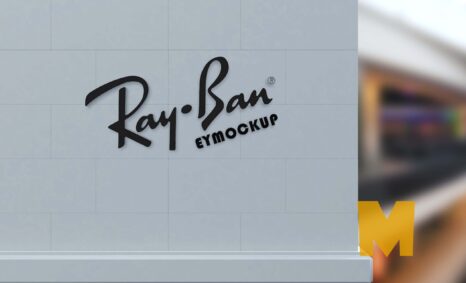
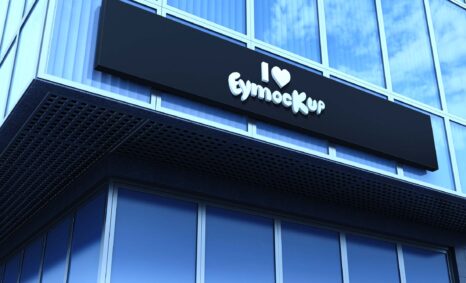
Building a logo mockup can greatly enhance your branding presentations. A mockup provides a realistic visualization of how your logo will appear in the real world. By using various tools and templates, you can showcase your design on different surfaces, such as business cards, signage, or apparel. This not only helps in visualizing the final product but also in making necessary adjustments before finalizing your logo.
To create an effective logo mockup, start by selecting the right template that matches your brand’s style. Look for high-resolution images and consider lighting and shadow effects to add depth. You can use software like Photoshop or online platforms that offer editable mockup templates. With a few simple edits, you’ll have a professional-looking presentation that can impress clients and stakeholders alike.
You can use Building Logo Mockup to showcase your own designs in a realistic and professional way.
To use a Photoshop PSD mockup, simply open the file in Photoshop. Then, replace the placeholder design with your own design. You can also customize the Logo Mockup to match your brand by adding your logo, colors, and fonts.
Once you have finished customizing the Building mockup, you can export it as a high-resolution image or video. You can then use this image or video in your marketing materials, such as on your website, social media pages, and in print materials. Once you have downloaded a mockup, you can open it in Photoshop and add your own design. To do this, simply place your design on the smart object layer of the mockup.


Here are some tips for using free mockups:
- Make sure that the mockup is the correct size and resolution for your needs.
- Use high-quality images for your designs.
- Pay attention to the lighting and shadows in the mockup.
- Adjust the colors and brightness of your design to match the mockup.
- Add your own branding elements to the mockup.
Description:
Available Format: Layered PSD through smart object insertion
License: Free for personal and commercial use
Zip File Includes: Photoshop PSD File
Resolution: 2200 x 1500 px
Advertisement:
FAQs – Building Logo Mockup
Can I customize the logo mockup?
Yes, you can easily customize the logo mockup using editing software, allowing you to change colors, textures, and placements to fit your design.
What file formats are available for logo mockups?
Logo mockups typically come in PSD, PNG, and JPG formats, making them versatile for various design applications and easy to use.
Does it matter what lighting I use in the mockup?
Yes, proper lighting enhances the realism of your logo mockup. Good lighting can highlight your logo’s details and make it more appealing.
Is it easy to edit logo mockups in Photoshop?
Absolutely! Editing logo mockups in Photoshop is straightforward, especially with the use of smart objects that allow for quick updates and adjustments.
What is the best way to showcase my logo mockup?
The best way to showcase your logo mockup is through high-quality images in presentations, portfolios, or social media to attract more attention.