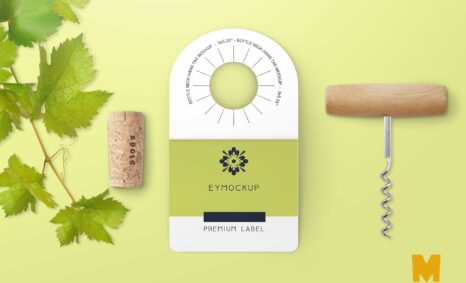
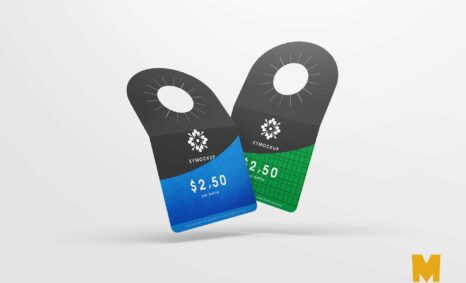
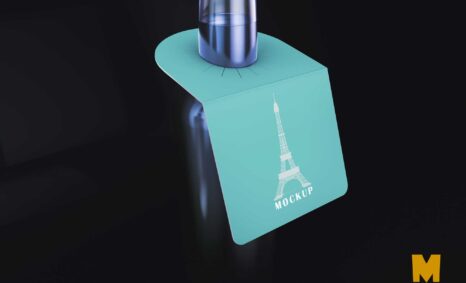
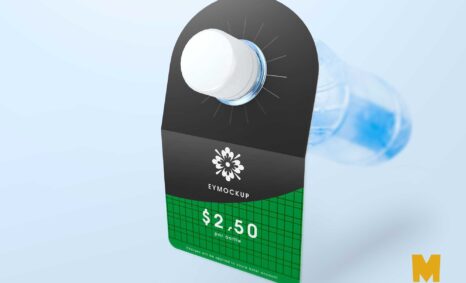
Elevate your branding projects with our free flat bottle neck label mockup. This high-quality, versatile mockup allows you to showcase your designs on a flat bottle neck, making it the perfect tool for presentations or client pitches. The smart object feature in Photoshop enables quick and easy customization, ensuring that your labels stand out with realistic shadows and highlights.
Ideal for beverage brands, this mockup provides a clean and professional backdrop for your artwork. Simply download the file, open it in Photoshop, and insert your design. Experiment with different colors, textures, and lighting effects to create a stunning visual that captures the essence of your product. With our flat bottle neck label mockup, you can visualize your design in a real-world context, enhancing your creative process.
All of these Resources are easy to use and can present your information beautifully. Some are free, while others cost a few dollars. ( premium mockups )
More great & free PSD Mockups Collection:
- Free Books Mockup
- Paper Shopping Bag Mockups
- Pouch Mockups For Your Packaging Ideas
- 15+ New Tattoo Design PSD Mockup
- Free Wine Bottle Mockups For Wineries
Description:
Available Format: Layered PSD through smart object insertion
License: Free for personal use
Zip File Includes: Photoshop PSD File
Resolution: 2000 x 2250 px
FAQs – Flat Bottle Neck Label Mockup
Can I edit the flat bottle neck label mockup in Photoshop?
Yes, the mockup is designed for easy editing in Photoshop using smart objects, allowing you to insert your label design quickly.
What file format is the flat bottle neck label mockup available in?
The mockup is typically provided in PSD format, compatible with Adobe Photoshop for seamless editing and customization.
Does the mockup include realistic lighting effects?
Yes, the flat bottle neck label mockup features realistic lighting and shadows to enhance the appearance of your design.
Is it suitable for different bottle sizes?
The mockup is specifically designed for flat bottle necks, ensuring an accurate representation of your label on typical bottle sizes.
Do I need advanced Photoshop skills to use the mockup?
Basic Photoshop skills are sufficient to use the mockup, thanks to its user-friendly smart object layers for easy design insertion.