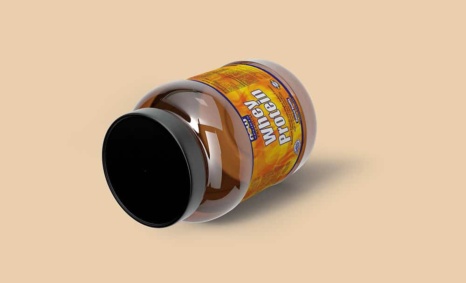
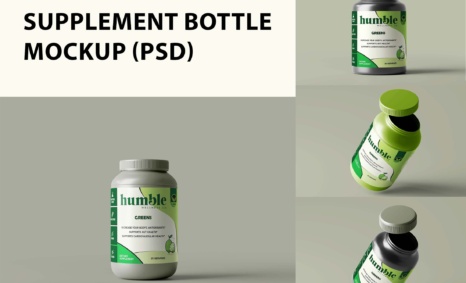
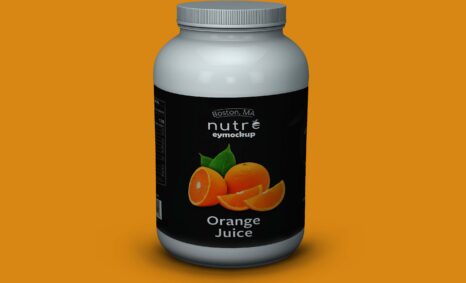
In today’s competitive market, having a visually appealing supplement branding mockup can set your product apart. Our free downloadable mockup is designed to help you showcase your designs effectively, making it easier to present to clients or utilize in your marketing strategies. With customizable features, you can adjust colors, textures, and lighting to fit your brand’s identity, enhancing the overall presentation.
This mockup is user-friendly, allowing even beginners to create stunning visuals quickly. Whether you’re in the supplement industry or working on a personal project, this tool provides the flexibility needed for high-quality results. Use Photoshop to easily edit layers and manipulate elements, ensuring your branding stands out. With just a few clicks, you can create eye-catching images that attract potential customers and convey professionalism.
All of these Resources are easy to use and can present your information beautifully. Some are free, while others cost a few dollars. ( premium mockups )
More great & free PSD Mockups Collection:
- 50+ Latest Mockup Collection
- 299+ Business Card Mockup Free Download 2021
- 305+ Product Packaging Mockups (Only Free)
- 800+ Logo Mockup PSD Free Download
- 99+ Best Freebies 3D Logo Mockups PSD 2021
Description:
Available Format: Layered PSD through smart object insertion
License: Free for personal use
Zip File Includes: Photoshop PSD File
Resolution: 2000 x 2250 px
FAQs – Supplement Branding Mockup
Can I edit the supplement branding mockup in Photoshop?
Yes, the mockup is fully editable in Photoshop, allowing you to customize elements like colors, textures, and lighting.
Does the mockup support different supplement container shapes?
Absolutely! The mockup includes various container shapes, enabling you to showcase different supplement packaging designs.
What file format is the supplement branding mockup available in?
The mockup is available in PSD format, ensuring compatibility with most graphic design software, especially Photoshop.
Is it easy to change the background of the mockup?
Yes, you can easily change the background in the mockup using Photoshop layers, allowing for creative freedom in your design.
Do I need advanced skills to use the mockup?
No, the mockup is designed for users of all skill levels, with straightforward instructions for easy customization.