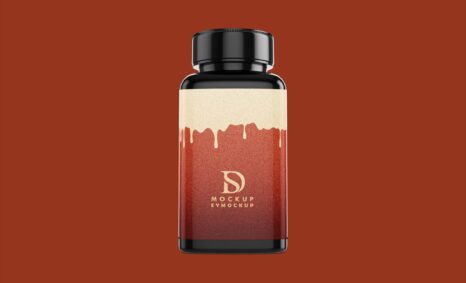
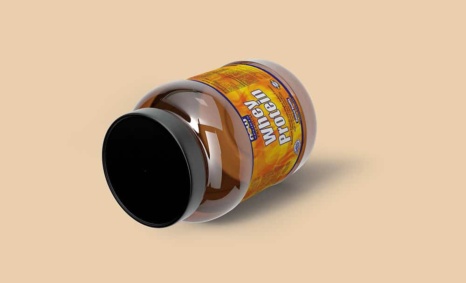
A high-quality supplement bottle mockup can elevate your product presentation significantly. This mockup allows you to showcase your supplement designs in a realistic setting, making it easier for potential customers to visualize your product. With customizable features, you can edit colors, labels, and backgrounds to match your branding perfectly. This mockup is an essential tool for designers looking to create captivating visuals that stand out in a crowded market.
Using this supplement bottle mockup is straightforward, even for those new to design software. Simply download the PSD file and open it in Adobe Photoshop. From there, you can easily replace the placeholder designs with your own graphics. Adjust the lighting and shadows to create a more authentic look. Whether you’re preparing for a product launch or updating your marketing materials, this mockup will help you present your supplement brand professionally and attractively.
All of these Resources are easy to use and can present your information beautifully. Some are free, while others cost a few dollars. ( premium mockups )
More great & free PSD Mockups Collection:
- 50+ Latest Mockup Collection
- 299+ Business Card Mockup Free Download 2021
- 305+ Product Packaging Mockups (Only Free)
Description:
Available Format: Layered PSD through smart object insertion
Zip File Includes: Photoshop PSD File
Resolution: 2000 x 2250 px
FAQs – Supplement Bottle Mockup
Can I edit the supplement bottle mockup in Photoshop?
Yes, the mockup is provided in a PSD format, allowing you to customize it easily using Adobe Photoshop.
Does the mockup include different angles for the supplement bottle?
Yes, the supplement bottle mockup features multiple angles, enabling you to showcase your product from various perspectives.
Is it possible to change the background of the mockup?
Absolutely! You can easily customize the background in the mockup to fit your branding or desired aesthetic.
What file format is the supplement bottle mockup available in?
The mockup is available in PSD format, which is compatible with Adobe Photoshop for easy editing.
Do I need advanced skills to use the mockup?
No, basic Photoshop skills are sufficient to use the mockup effectively. The process is user-friendly and straightforward.