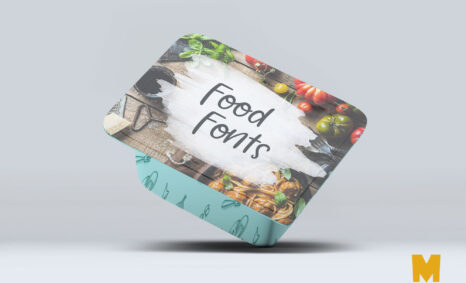
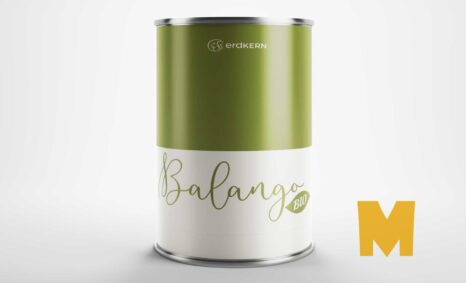
Enhance your design presentations with our high-quality Square Tin Can Mockup. This versatile mockup allows you to showcase your branding designs in a realistic and appealing way. Perfect for product presentations, marketing materials, and visual portfolios, the mockup provides a professional look that can captivate your audience.
Designed with user-friendliness in mind, our mockup is compatible with Adobe Photoshop, making it easy for both beginners and experienced designers. Simply insert your artwork using smart objects, adjust the lighting, and create an eye-catching display. With its customizable features, you can effortlessly highlight your designs and impress clients or stakeholders.
All of these Resources are easy to use and can present your information beautifully. Some are free, while others cost a few dollars. ( premium mockups )
More great & free PSD Mockups Collection:
- Mockup Collection
- Mug Mockup
- New 3D Mockup
- Packaging Mockup
- Paper Mockups
- 45+ Photo-Realistic Logo Mockup
Description:
Available Format: Layered PSD through smart object insertion
License: Free for personal use
Zip File Includes: Photoshop PSD File
Resolution: 2000 x 2250 px
FAQs – Square Tin Can MockUp
Can I edit the Square Tin Can Mockup in Photoshop?
Yes, the Square Tin Can Mockup is fully editable in Adobe Photoshop using smart objects for easy artwork placement.
Do I need special tools to use the mockup?
No special tools are required; just Adobe Photoshop is needed to edit and customize the Square Tin Can Mockup.
What file formats are included with the mockup?
The mockup is typically provided in PSD format, which is compatible with Adobe Photoshop.
Is it easy to change the background of the mockup?
Yes, you can easily change the background color or image in the Square Tin Can Mockup using Photoshop layers.
Does the mockup support different lighting effects?
Absolutely! You can adjust lighting effects to enhance the realism of your design in the Square Tin Can Mockup.