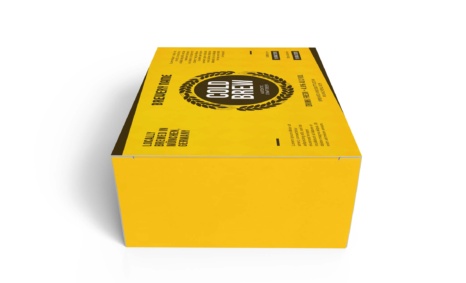
Our White Paper Box Mockup is designed to help you present your packaging designs in a professional and visually appealing manner. This high-quality mockup allows for easy customization, giving you the ability to showcase your branding in a realistic context. The mockup features adjustable lighting and shadows, enabling you to create the perfect presentation that highlights your design strengths.
Ideal for designers and marketers alike, this mockup simplifies the process of visualizing packaging concepts. With easy-to-use layers in Photoshop, you can quickly replace the default design with your own artwork. Whether for client presentations or portfolio showcases, this mockup serves as an invaluable tool for elevating your design projects and enhancing your creative workflow.
Create an awesome box mockup to show for presentation. This mockup has a fully layered PSD file with a smart object.
Mockups are used by graphic designers, eCommerce store owners, and more to give customers a realistic view of their product – without having to order and photograph samples of everything.
Do you want to sell a design online but don’t have the time or resources to photograph the product? You have to create a realistic shop mockup.
Description:
Available Format: Layered PSD through smart object insertion
License: Free for personal and commercial use
Zip File Includes: Photoshop PSD File
Resolution: 2200 x 1500 px
Advertisement:
FAQs – White Paper Box Mockup
Can I edit the White Paper Box Mockup in Photoshop?
Yes, the mockup is fully editable in Photoshop, allowing you to customize elements such as colors, designs, and backgrounds easily.
Does the mockup include different angles?
Yes, the White Paper Box Mockup comes with multiple angle options to help you present your design from various perspectives.
What file format is the mockup available in?
The mockup is available in PSD format, ensuring compatibility with Adobe Photoshop for seamless editing.
Is it easy to change the design on the mockup?
Absolutely! Simply double-click the smart object layer to insert your design, and the changes will reflect automatically.
Do I need special skills to use the mockup?
Basic Photoshop knowledge is helpful, but the mockup is designed for users of all skill levels, making it accessible and easy to use.