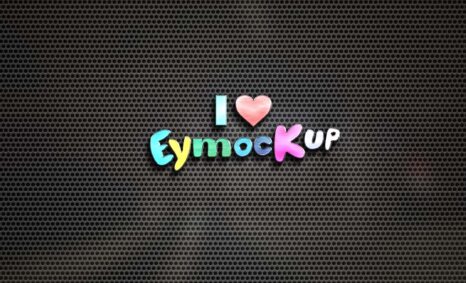
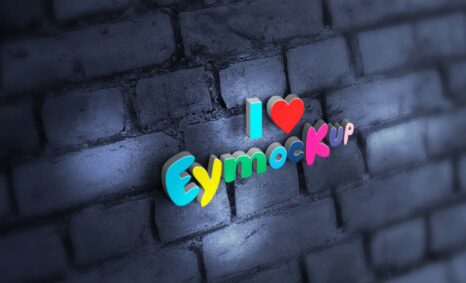
Explore our collection of 100 free logo mockups designed to elevate your branding projects. These high-quality mockups are perfect for showcasing your logo designs in a professional manner, allowing you to present your work in various settings and styles. Whether you’re a graphic designer or a business owner, these mockups can help you visualize how your logo will look on different materials and backgrounds.
Our mockups are easy to use and compatible with popular design software like Adobe Photoshop. Each mockup comes with smart layers, enabling you to insert your logo effortlessly. Plus, with a variety of lighting effects and perspectives, you can create stunning presentations that capture attention. Download now and start creating impressive visual representations of your brand.
All of these Resources are easy to use and can present your information beautifully. Some are free, while others cost a few dollars. ( premium mockups )
More great & free PSD Mockups Collection
- 10+ Free Vitamin Bottle Mockup
- Water Bottle Mockups Collection
- 10+ Eye-Catching Logo Mockups
- Free Juice Bottle Mockup
- Free Dropper Bottle Mockup
- Free Bottle Mockup Collection
Available Format: Layered PSD through smart object insertion
License: Free for personal use
Zip File Includes: Photoshop PSD File
Resolution: 2000 x 2250 px
FAQs – Free 100 Logo Mockup
Can I use the free logo mockups in Photoshop?
Yes, these mockups are designed for easy use in Photoshop with smart layers for quick logo insertion.
Do I need advanced skills to edit the mockups?
No, the mockups are user-friendly, making them suitable for both beginners and experienced designers.
Is it possible to customize the lighting in the mockups?
Absolutely! You can adjust the brightness and contrast in Photoshop to achieve your desired lighting effects.
What formats are the mockups available in?
The logo mockups are typically offered in PSD format, ensuring compatibility with most design software.
Does it include instructions for using the mockups?
Yes, each mockup comes with a brief guide to help you get started with editing and customization.